Chapter 02
The workout
One circle, two controls and a wave of sound. Everything on this screen is sized to be read from the floor, at arm's length, upside down, while you are out of breath.
The start screen
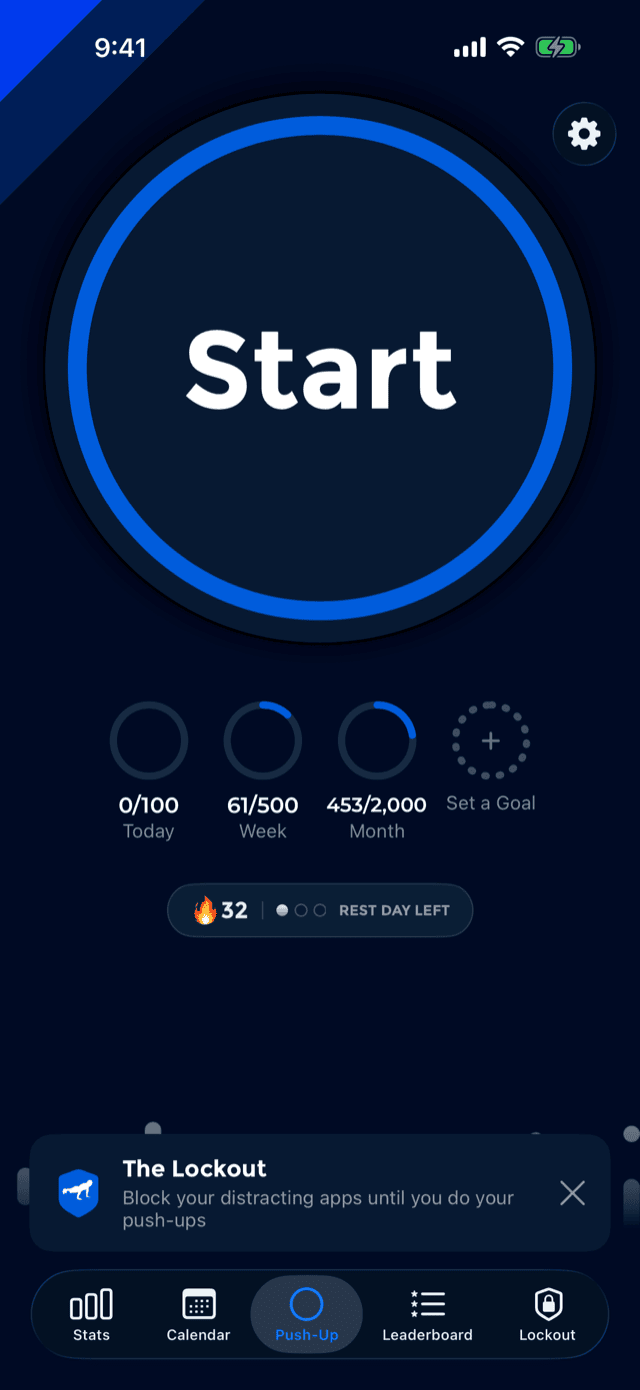
The middle tab is home. It holds one big circle that says Start, and everything else on the screen is there to be glanced at, not tapped.
- The goals row under the circle: up to four periods, today through the year, drawn as rings or bars. Tapping any one opens its menu.
- The streak capsule below that: your current streak and the rest days you have left to protect it. Tapping it explains the price rather than jumping somewhere.
- The settings button in the top corner, which is where every screen in this guide marked Settings begins.
- The corner ribbon, PushFit's mark. It appears on every screen you pass through while actually training, and nowhere else.
Press the circle and, unless you have turned the countdown off, the screen counts 3–2–1 while you get down.
The counter, and what its ring means
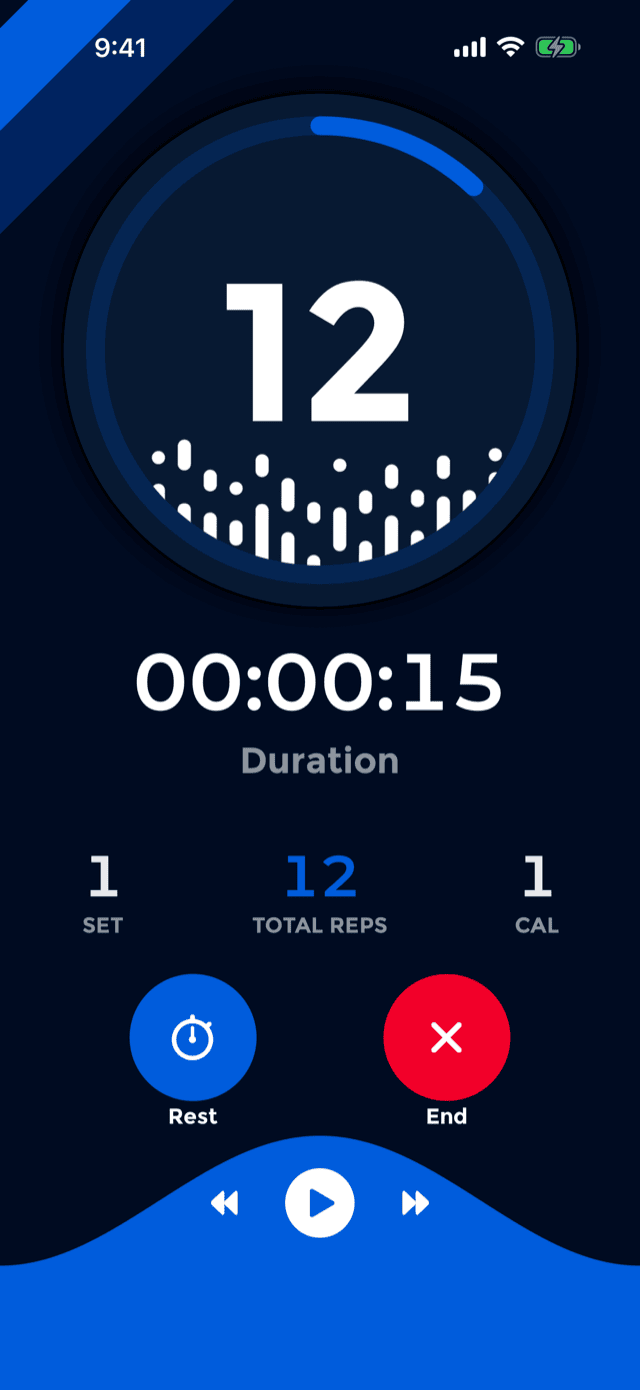
The number in the circle is the reps in the current set, not the workout total. Close a set and it starts again from zero, which is what makes the number readable at a glance while you are moving.
The ring around it is today's daily goal, filling clockwise from 12 o'clock, and it counts everything you have done today rather than just this workout. With no daily goal set the ring is simply full. The instant the goal is met, confetti fires over the workout, mid-set.
Underneath the circle the dots rise like a waveform, one for every rep in the set. Below that:
The counter doubles as the camera. If face tracking loses you mid-set, the disc turns into the live front-camera view so you can see yourself and shift back into frame, and it leaves the instant you are found again. How that works.
Pressing the circle is the same gesture as the rep. It does not flash or change colour under your thumb: it compresses slightly and the ring thickens, as if taking the load, then springs back as you let go and the rep counts.
The screen gets brighter
When a set starts, PushFit ramps the screen to full brightness over exactly the length of the countdown, so the number is readable on a bright floor without you reaching for anything. When the workout ends, your own brightness is put back over the next five seconds.
Sets and rests
A set is a run of push-ups with no rest in the middle. A rest ends one set and a new one begins when you start again. You never have to declare any of this: it happens in one of two ways.
You press Rest
The stopwatch circle on the left. The set closes, the rest timer opens and starts counting down.
You simply stop
With Auto Pause on, ten seconds without a rep closes the set on its own and the rest screen appears. This is the hands-free path, and the reason a normal workout needs no taps at all.
Set boundaries are not cosmetic. They are what produce Best Set, Stamina, the flat stretches in The Climb, the per-set chart in Statistics, and the per-set activities written into Apple Health.
The rest timer
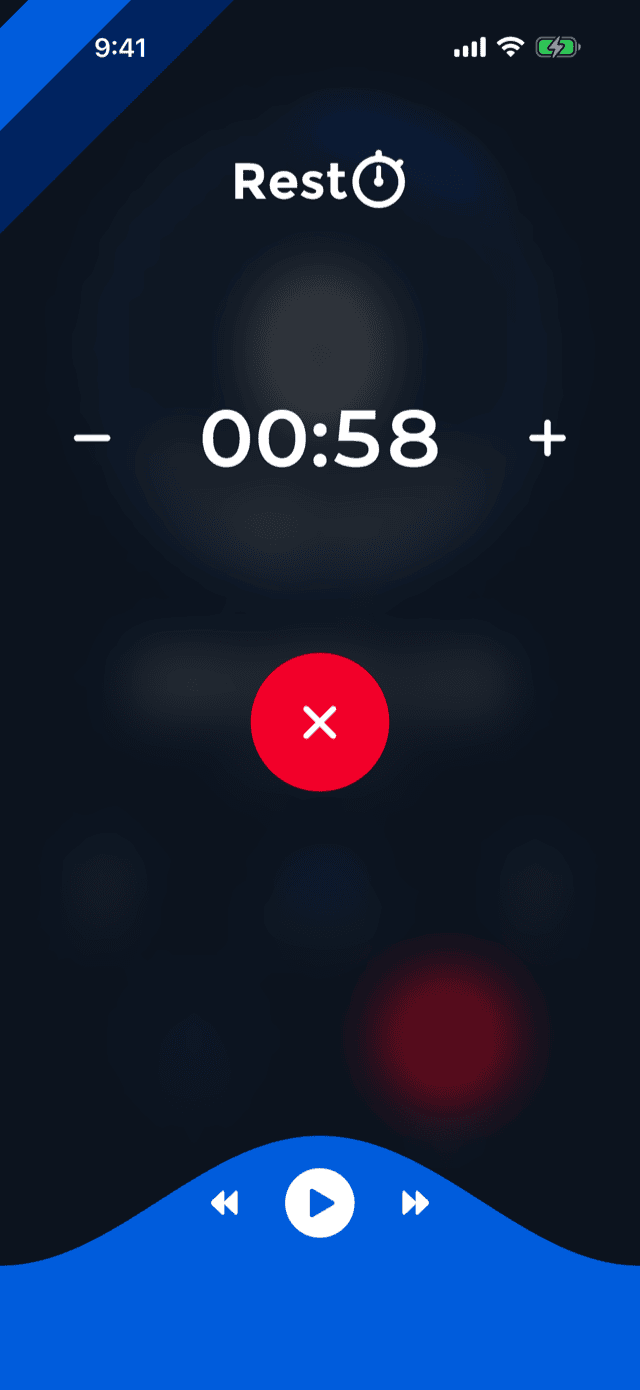
The rest screen dims the workout behind it and shows one countdown, with a minus and a plus to change it on the fly and a red button to end the rest early and go straight back in.
How long it starts at depends on one setting, at SettingsRest Timer:
When the countdown reaches zero the rest ends by itself and the next set begins. VoiceOver announces it rather than relying on the screen.
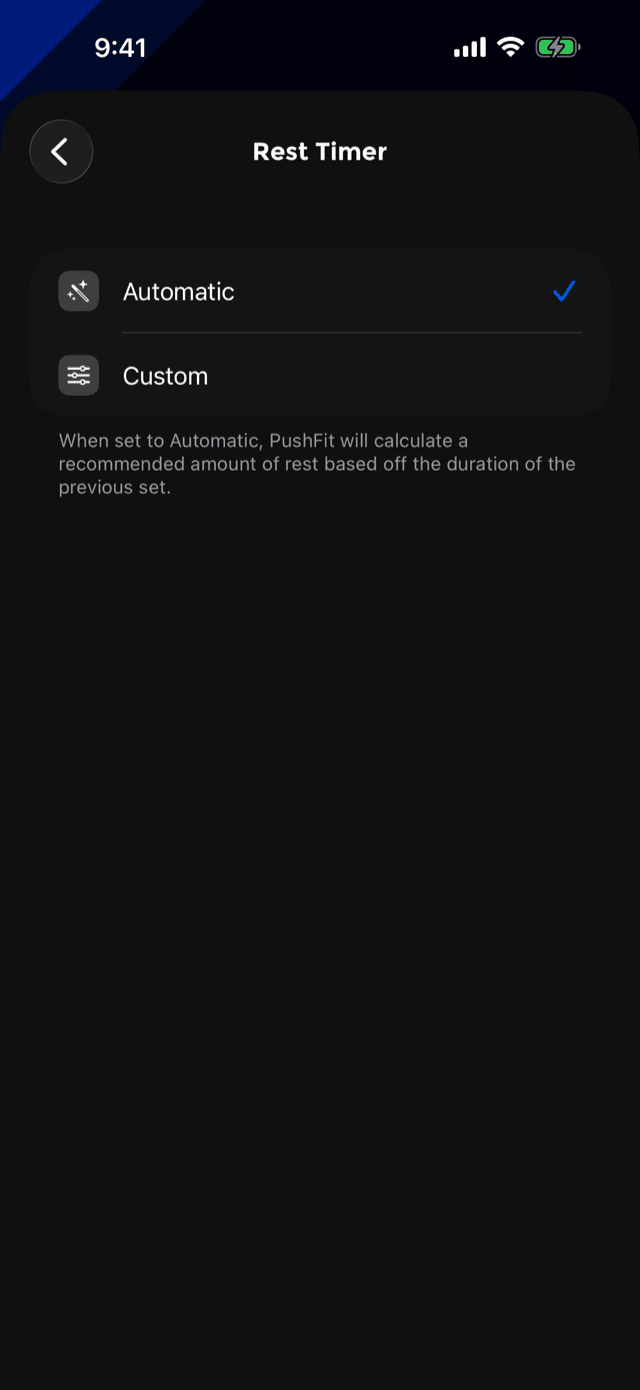
Pause, as opposed to rest
If the workout pauses because you walked away rather than because you closed a set, the same screen shows Pause and counts up instead of down. That is deliberate: a rest has a length, a pause does not. After an hour paused, PushFit ends the workout for you rather than leaving it open forever.
Changing this setting also updates the Apple Watch, immediately, so the wrist starts its rests from the same number.
Counting sound and the voice
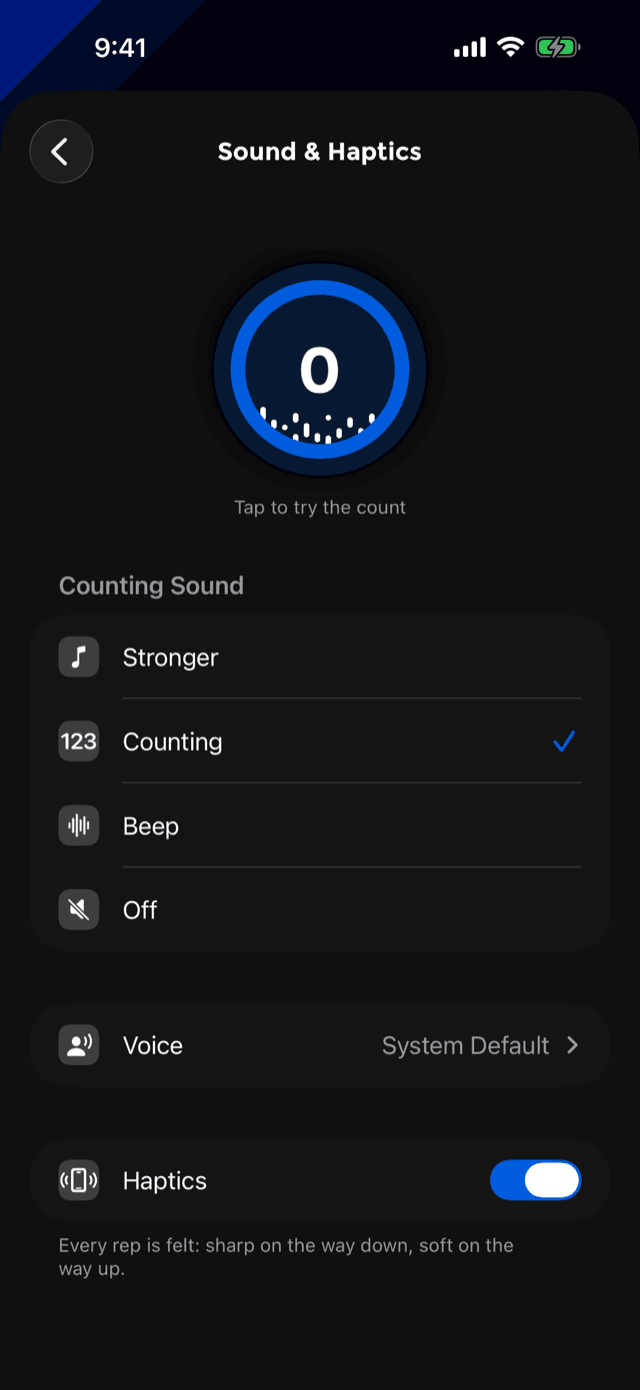
At SettingsSound & Haptics there is a counter you can tap to hear exactly what a rep will sound like before you are on the floor.
Counting audio mixes with your music rather than stopping it.
Haptics you hear through the floor
PushFit uses vibration in two completely different ways, and where the phone is decides which.
In a workout: heard
The phone is on the ground with you above it, so a rep, a closed set, a met goal and the countdown ticks are built to couple into the floor and arrive as a knock. They are told apart by rhythm, because rhythm is the only thing that survives a hard surface.
Everywhere else: felt
In the hand, texture is the signal: sharp on the way down, soft on the way up. Buttons that matter answer with one soft impact; quieter controls stay silent.
The Haptics switch on the Sound & Haptics screen turns the rep feedback off if you would rather train silently in every sense. No control fires haptics during a workout other than the rep itself, because mid-workout the rep owns the taptic engine.
Music
The wave across the bottom of the workout screen is the music bar. It carries three controls, sized to be hit without looking and without breaking position:
- Play / pause, the large circle in the middle.
- Previous and next either side of it.
They hold their media-timeline order in every language, so previous is always the way you came from rather than flipping sides with the text direction.
PushFit drives Apple Music and your own library. iOS asks for permission to use your media library the first time you press play; decline it and the bar simply controls whatever is already playing, from any app.
The bar stays alive while music is paused, so pausing never takes the controls away with it.
Music afterwards
Finishing a workout does not cut the music. The whole bar folds into one row and is carried onto the celebration screen, so the song you started keeps going while you read your numbers.
In that form it grows a bit of theatre: the album artwork rides a slowly turning disc, a record and a counter ring at the same time, one revolution every twenty-four seconds. A long song title scrolls rather than truncating, and the wave runs along the bottom edge as the signal it always is. When a song has no artist name to show, the second line simply says Still playing.
Ending a workout
The red circle marked End finishes the session. Red is reserved: in PushFit it only ever means end, stop or delete.
What happens next, in order:
- The workout is saved, with every set, every rest and every individual rep timestamp.
- It is written to Apple Health as a functional strength training workout, with one activity per set.
- Your streak, goals, widgets and Spotlight records are refreshed.
- If The Lockout is on and you did enough reps, your blocked apps unlock.
- The celebration screen appears: the confetti, the numbers and the option to share.
Closed the app mid-workout, or got a call? Nothing is lost. Next launch PushFit offers to restore the unfinished workout or discard it. Restoring puts you back exactly where you were, reps included.