
Chapter 12
Your data & privacy
Every rep you have ever done lives on your iPhone, in a database you can export in full. This chapter says where it is, how it follows you to a new phone, and precisely what does and does not leave the device.
Where it lives
PushFit stores your history in a Core Data database on your iPhone. Not a summary: every individual push-up carries its own timestamp, along with the range of motion the camera measured, the set it belonged to, the rests around it, and the workout that contained it.
That database sits in a shared app group, which is how the widgets, the Live Activity and the Apple Watch app read your numbers without the main app running.
iCloud sync
If you are signed into iCloud, PushFit syncs that database through your own private iCloud database using CloudKit. That is Apple's infrastructure, in your account, and the developer cannot read it.
There is nothing to switch on inside PushFit. At launch it checks your iCloud account status and uses it if it is available; if it is not, everything works exactly the same and stays local. To turn it off entirely, use iOS Settingsyour nameiCloud and switch PushFit off there.
Sync is what carries your history between your own devices, including from PushFit Free to PushFit Pro.
Getting to a new phone
- An encrypted iPhone backup or a device-to-device transfer brings everything, exactly as it was.
- iCloud sync repopulates the database once you sign in on the new phone. Give it a few minutes on Wi-Fi.
- Sign into Game Center so your leaderboard identity comes back too.
- If something is still missing, there is the server backup.
Moving from PushFit Free to PushFit Pro is the same story, and onboarding recognises it: instead of teaching you the app again, Pro opens on Welcome back. Your history, your streak and your color came with you.
Exporting your workouts
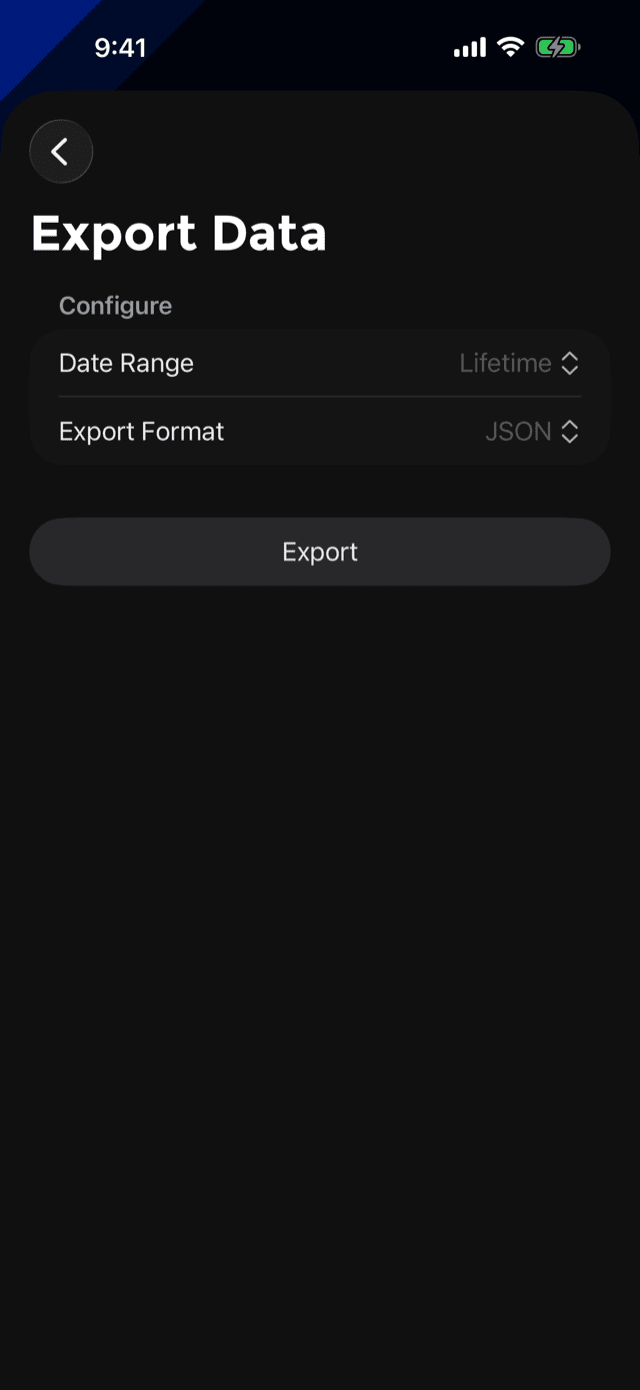
SettingsExport Workouts writes a file and hands it to the share sheet, so it can go to Files, email, or any app you like.
The per-push-up export is the whole raw record: nothing is summarised away, and it is the same data the app's own charts are drawn from.
The server backup
Alongside iCloud there is a small server-side safety net. While you are signed into Game Center, PushFit records a minimal copy of each workout: its start time and its rep count, and nothing else. No timestamps per rep, no depth data, no measurements.
It exists for one situation, which support sees a handful of times a year: somebody loses their history and iCloud has nothing to give back. Restore from Backup in Settings pulls those workouts back in, marked as restored so they are distinguishable from ones counted live. Remove push-ups from Backup deletes the server copy.
Deleting things
- A set: hold it on the day's detail page. See fixing a set.
- A workout: the bin in the day's navigation bar, or the menu on the celebration screen.
- Everything: SettingsReset All Data, behind a confirmation. It is the one destructive row in Settings and it is the only red one.
- The Health copy: deleting a workout in PushFit removes the workout it wrote to Apple Health as well.
Export first if there is any chance you want it later. Deleting is immediate and it is not recoverable from inside the app.
What leaves the phone, and what never does
Never leaves your device
- The camera feed. Face detection derives one distance from it. No image is written to disk, uploaded, or shown to anyone. There is no video, no photo and no face data.
- Your body measurements. Height, weight, sex and age are used to estimate calories and nothing else. No request carries them.
- Which apps you blocked. The Lockout works on opaque system tokens; PushFit never learns the names.
- Your photos. The workout button photo stays in the app's own database.
- Your contacts. Never read, never uploaded. Friends come from links you send.
Does leave your device
- Push-up counts, while signed into Game Center. Totals per period plus your Game Center identity, so leaderboards can exist. That is the leaderboard, and it is the point of it.
- Your display name and Game Center photo, which is what friends see.
- Workout start times and counts, for the backup described above.
- Anonymous analytics and crash reports (Firebase), used to find bugs and see which features are used.
- Your workouts to Apple Health, if you connected it. That stays on your device and in your iCloud, under Apple's rules.
The free app also shows ads, which involve an advertising SDK that collects device and usage information of its own. PushFit Pro has no ads and no advertising SDK at all: the code is not in the paid app.
The full legal text is in the privacy policy.