Chapter 10
Leaderboards & friends
A global board with hundreds of thousands of people on it, a friends board built entirely from links you send, and a share that turns a workout into a five-second video.
Signing in with Game Center
Leaderboards need an identity, and PushFit uses Game Center for it. That means no email address, no password, and no PushFit account: your Apple device already has one.
Your Game Center name and photo are what other people see. If Game Center is switched off, the leaderboard says so and offers to take you to iOS Settings; nothing else in the app is affected.
You can choose a different display name inside PushFit without touching your Game Center profile, which is the most common request support gets.
Signing in also links your history to your Game Center identity, which is what lets your counts follow you across devices and across the Free and Pro apps.
The two boards
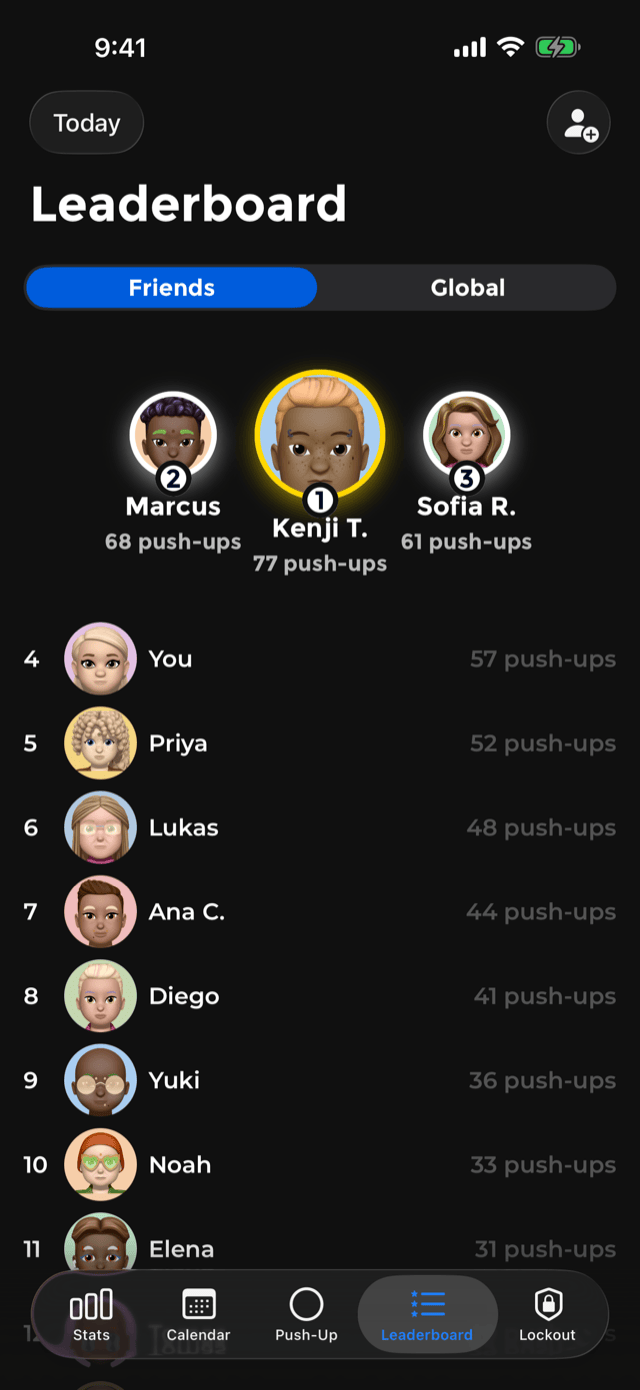
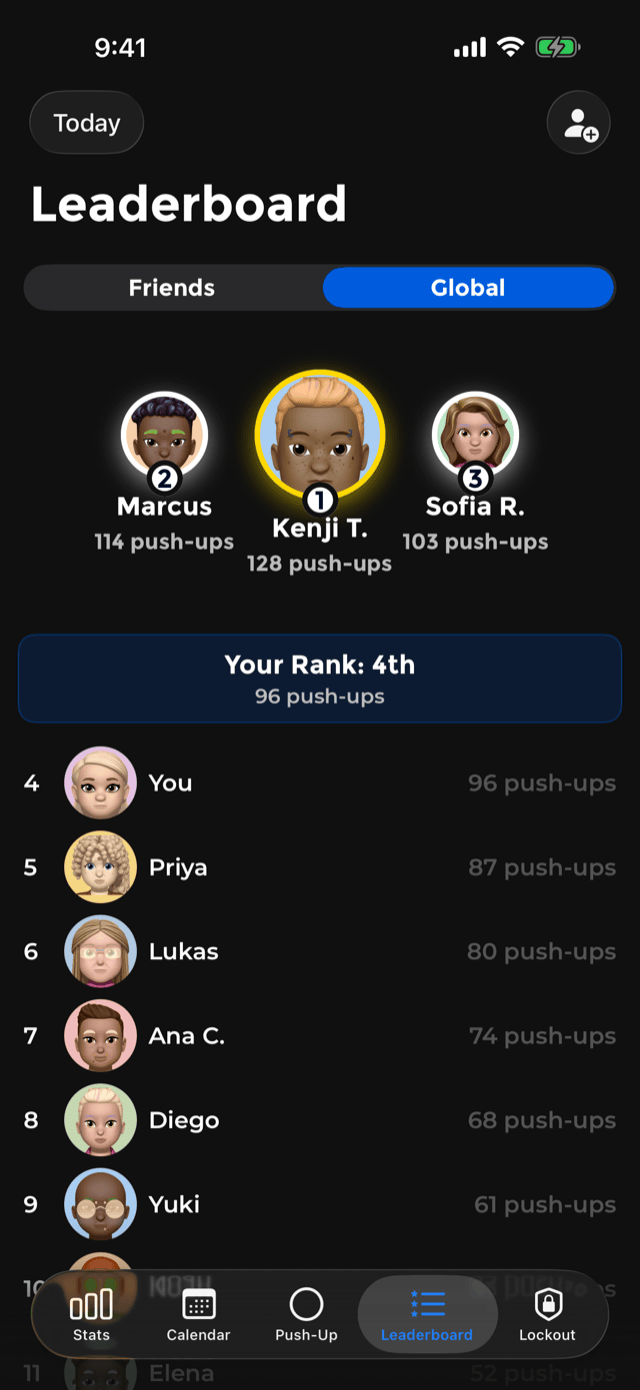
Both boards share a shape: a podium for the top three, then a ranked list. On the global board a banner pins your own rank where you can see it without scrolling to find yourself, and the list pages as you scroll.
An empty friends board is not a dead end. Places nobody holds yet are drawn as open seats, a dashed ring with a plus, and tapping one does the same thing the invite button does.
Five time scopes
Both boards can be read over five windows:
- Today · Weekly · Monthly · Yearly · All Time
Each is your own period, in your own time zone: your day rolls over at your midnight, not at some server's. That matters more than it sounds. It means somebody eleven time zones away is not competing against you on a day that has already ended for them.
Adding a friend
PushFit's friends list is built from links you send, not from your Game Center friend graph and not from your contacts.
- Open the Leaderboard tab and tap the add-friend button in the corner.
- PushFit creates an invite link and hands it to the share sheet. Send it however you like: Messages, WhatsApp, email, or read it out.
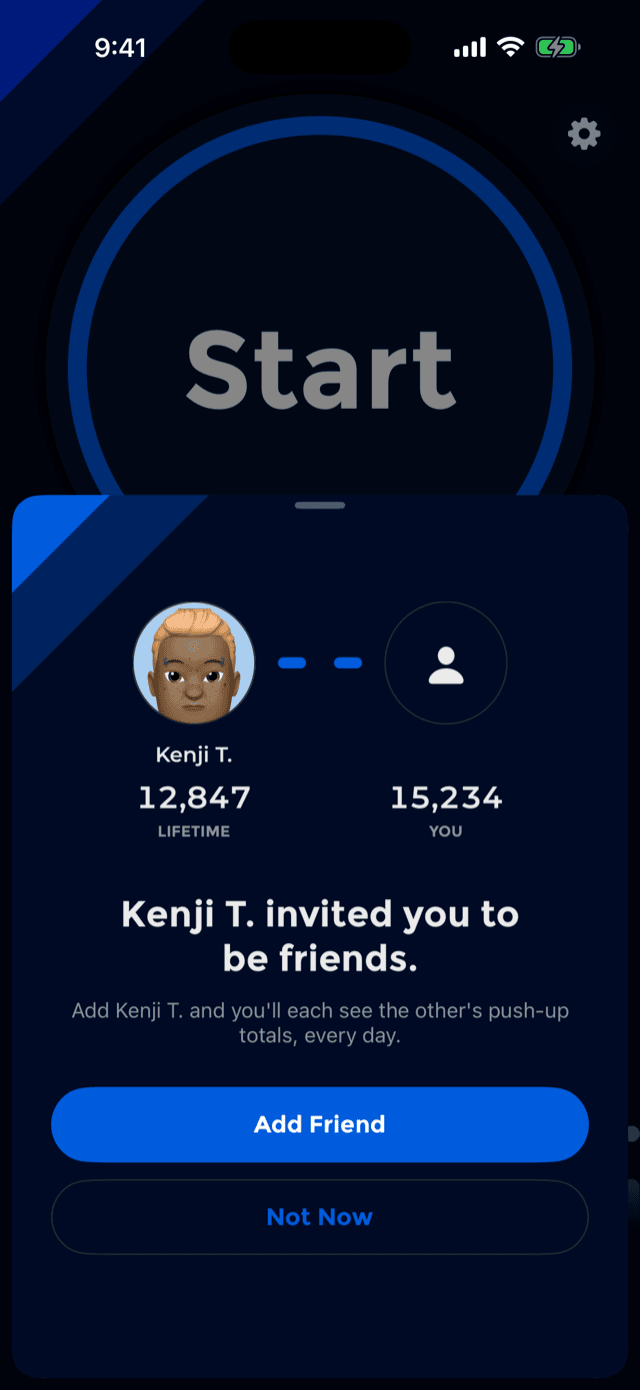
- Your friend opens the link. If they have PushFit, it opens straight onto an invite screen with your name and both of your lifetime totals on it. If they do not, the link takes them to the App Store first.
- They tap Add Friend and you are both on each other's boards from that moment on.
The invite screen names a person and a number rather than a feature, because for a lot of people it is the first PushFit screen they ever see. Two circles, one broken link between them, and a button that closes it.
It arrives as a sheet over whatever you were already doing, rather than taking you somewhere, because an invitation is a question and you can say no to it.
Accepting resolves in place. The link joins, the headline becomes You're friends now., and only then are you offered the leaderboard.
If a link does not work, PushFit says exactly why rather than failing generically: the link has expired, the link is not valid, or, the most common one, it is your own link, in which case it tells you to send it to a friend instead.
Friendship is mutual and it is the only way onto your friends board. Nobody can add themselves to it, and PushFit never uploads your contacts.
Keeping it honest
Two rules protect the global board:
- Manually entered workouts are capped at 300 for leaderboard purposes. PushFit still records the full number in your own history, so your totals, charts and records are yours, but the board is not decided by typing.
- Periods are per-user and expire on their own. A daily total stops counting when your day ends.
Counted reps, meaning anything the camera, your taps or the watch produced, are never capped.
Sharing a workout
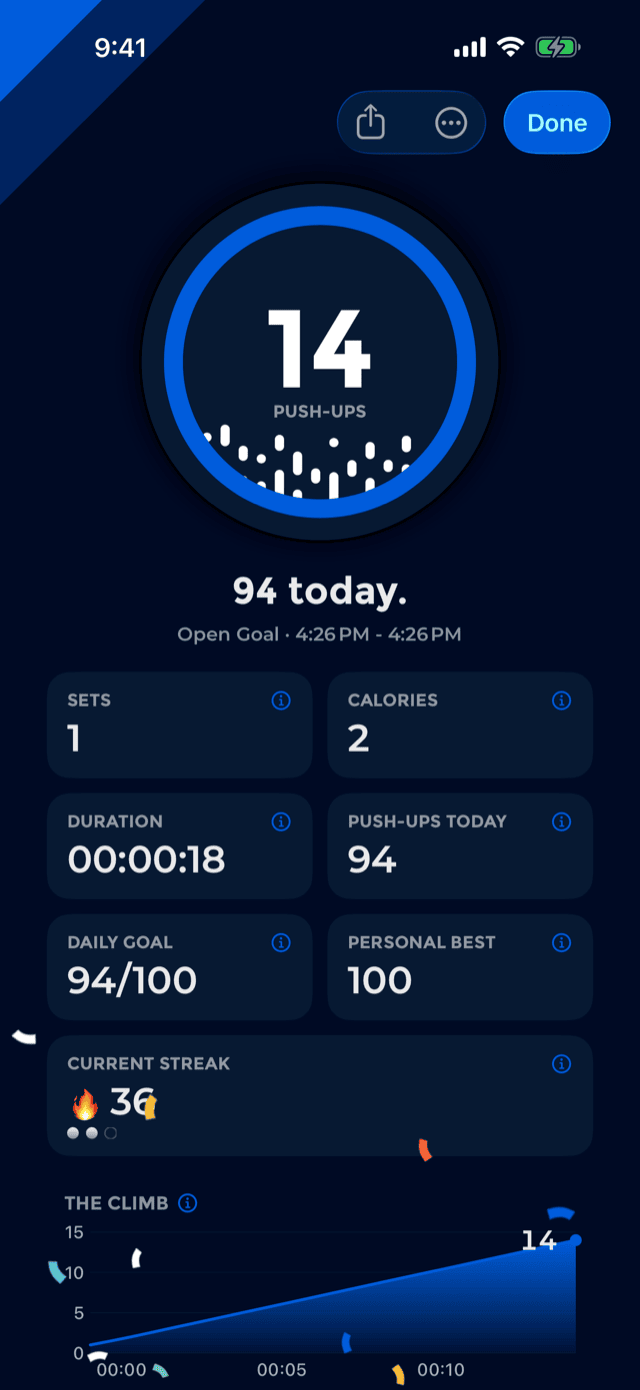
The share button on the celebration screen does not export a screenshot. It renders a five-second vertical video built out of the celebration's own parts: the ribbon, the medal ring drawing itself, your headline, and the rep-dot wave rolling underneath.
It is a video rather than a still because that is what carries into Stories, Reels and TikTok. It renders while you are still reading the screen, so Share opens on a finished file rather than a spinner.
Your friend invite link is drawn into the pixels as a QR code, because photo and video destinations keep the media and drop any URL shared alongside it. A link that is not in the frame does not survive the share.
Days and workouts in the calendar have their own share button too.